

POST Add a Note and Document to a Merchant Application
Summary
Adds a note and uploads one document (optional) to a merchant application.
POST https://merchantapp.io/{cobrandslug}/api/v2/merchantapplications/{application-id-here}/noteThis endpoint allows you to add a note to a merchant application and optionally attach the note to an underwriting service. You may also upload one document with the note . If you need to upload multiple documents, you will need to call this endpoint for each document and add a note to each.
The document must be encoded as HTML to pass within the request. The following file types are accepted: CSV, DOCX, GIF, HTML, JPEG, JSON, PDF, PNG, TSV, TXT, XML, and ZIP. The maximum accepted file size is 20 MB.
Headers
| Header | Required/Optional | Type | Description |
|---|---|---|---|
| X-AuthenticationKeyId | Required | String | The API key id used to authenticate your request to Infinicept. API keys are managed within your New Accounts cobrand. |
| X-AuthenticationKeyValue | Required | String | The API key value used to authenticate your request to Infinicept. API keys are managed within your New Accounts cobrand. |
Path Parameters
| Parameter | Required/Optional | Type | Description |
|---|---|---|---|
| cobrandSlug | Required | String | The unique cobrand identifier assigned by Infinicept. This value is available on the Settings page within your cobrand in the Account Settings > Url Slug field. |
| merchantApplicationId | Required | String | The application's numeric identifier in New Accounts (e.g. 12345) or the InfiniceptMerchantId GUID used across New Accounts and Backoffice. |
Request Body
Example
{
  "attachedDocumentBase64" : "[...]",
  "attachedDocumentName" : "example.txt",
  "noteContent": "Hello, this is an example note",
  "underwritingServiceID": 1234,
  "userEmailAddress": "[email protected]"
}
The following table describes the properties accepted in the request.
| Properties | Required/Optional | Type | Description |
|---|---|---|---|
| attachedDocumentBase64 | Optional | String | A base64 encoded document. The following file types are accepted: CSV, DOCX, GIF, HTML, JPEG, JSON, PDF, PNG, TSV, TXT, XML, and ZIP. The maximum accepted file size is 20 MB. |
| attachedDocumentName | Required when attaching a document | String | The title of the document. |
| noteContent | Required | String | The text body of the note. We recommend a limit of 1000 characters. |
| underwritingServiceID | Optional | Integer | The underwriting service identifier within your cobrand. Review Configured Underwriting Services may be used to retrieve this ID. |
| userEmailAddress | Optional | String | A user's email address that has access at the cobrand- or client-level. |
Response
Example
{
    "MerchantApplicationId": 15205,
    "CobrandId": 1955,
    "UserKey": 10461
}
The following table describes each property provided in the response.
| Property | Type | Description |
|---|---|---|
| MerchantApplicationId | Integer | The application's numeric identifier in New Accounts (e.g. 12345) or the InfiniceptMerchantId GUID used across New Accounts and Backoffice. |
| CobrandId | Integer | The cobrand identifier assigned by Infinicept. |
| UserKey | Integer | The user identifier assigned by Infinicept. |
Response Codes
The following table describes responses available from the endpoint.
| Code | Description | Message |
|---|---|---|
| 202 | Accepted | A successful response returns the MerchantApplicationId, CobrandId, and UserKey. |
| 400 | Bad Request | Ensure the values within your request meet the requirements outlined above. Review the error message for specific instructions. |
View Your Note in the New Accounts UI
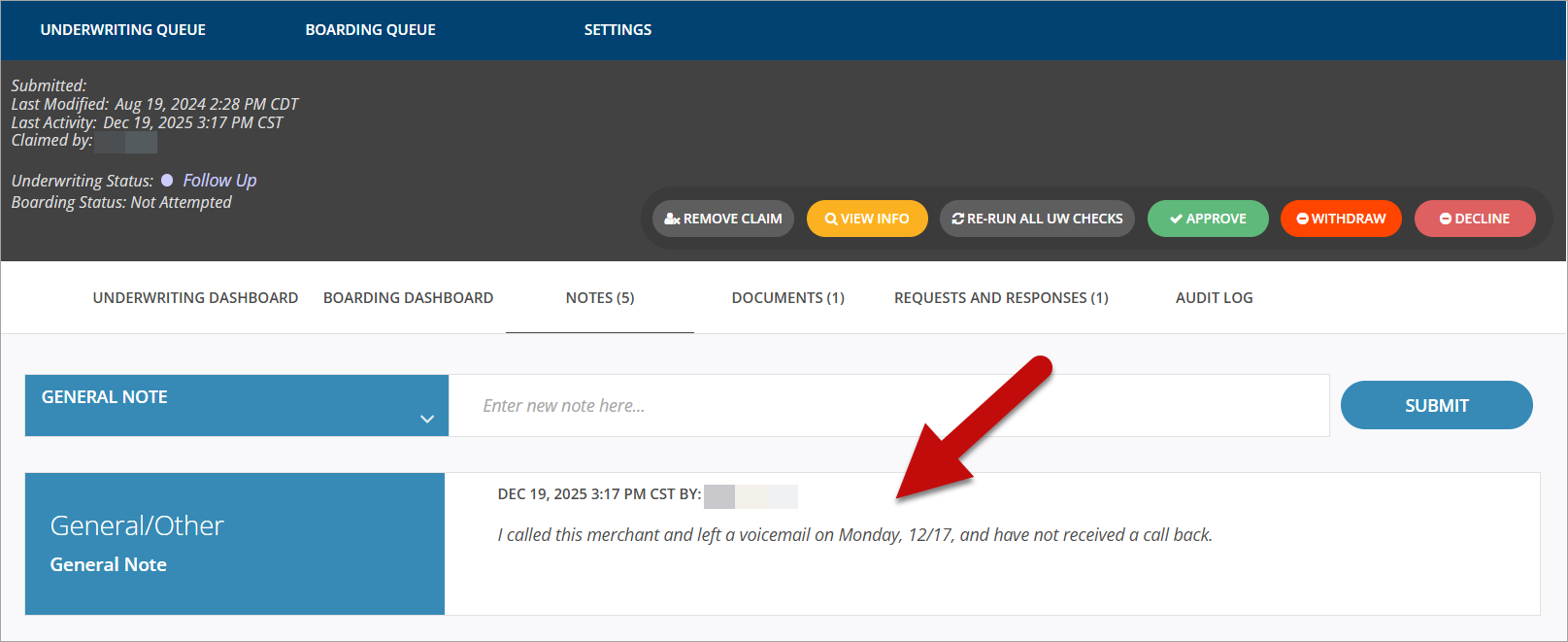
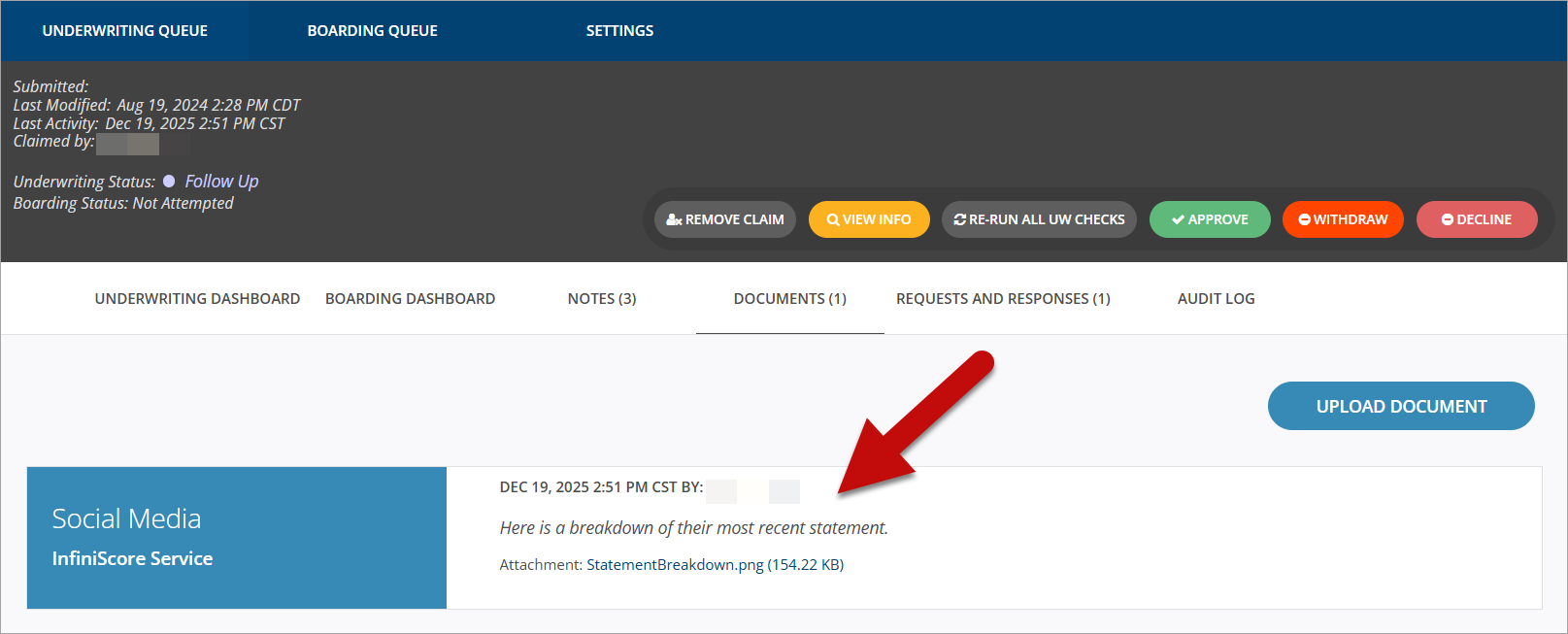
Once uploaded, New Accounts cobrand users can view the note on the Underwriting Dashboard > Notes tab. For notes with documents attached, see these on the Documents tab. See the examples below.
Notes tab
Documents tab
Updated 9 months ago